Crosswalk Analysis
Read time:
4 min
Client:
Class Project
Industry:
Data Analysis
Starting point
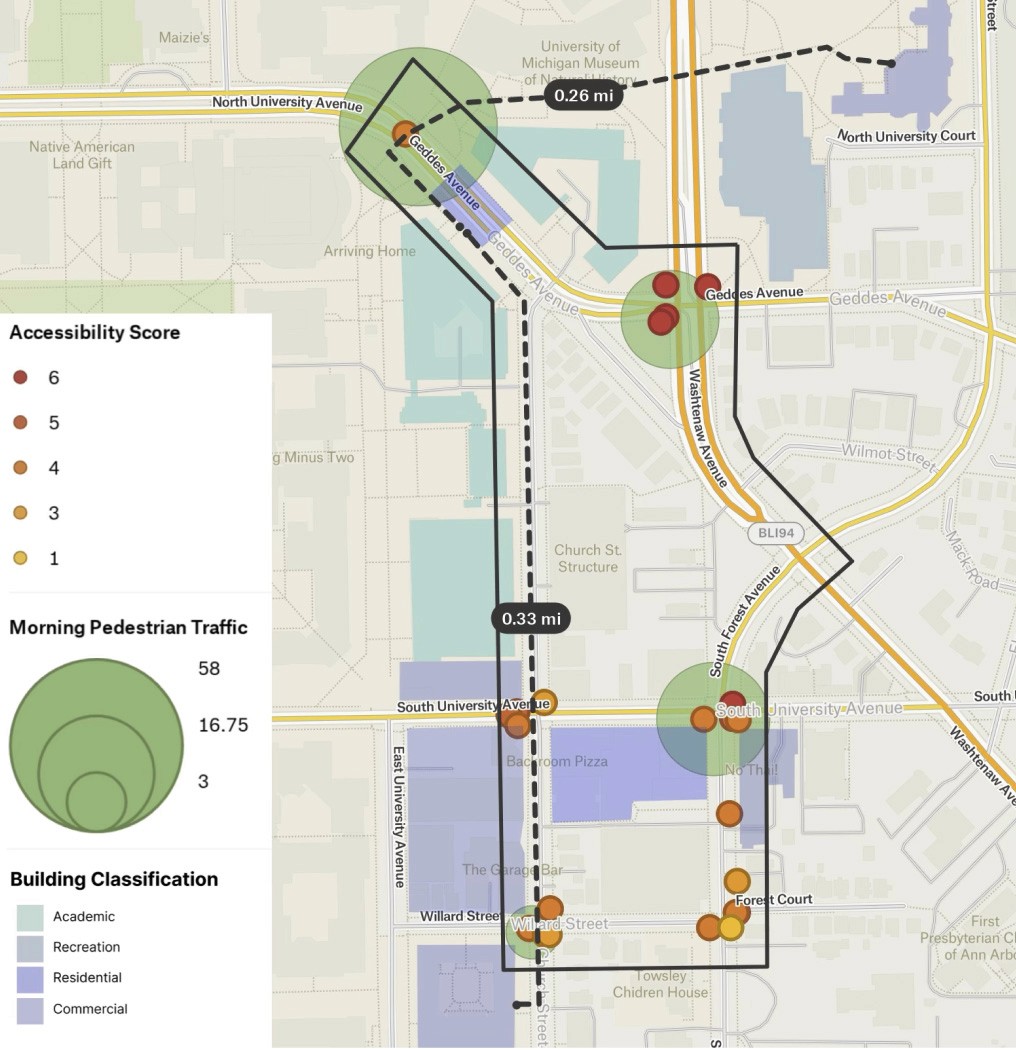
As part of my studies in UX and Urban Technology, I observed that pedestrian-infrastructure experience, such as crosswalks, often lack the user-centered design, clarity, and accessibility that digital interfaces typically receive. The challenge became: how might we design a pedestrian crossing experience that elevates clarity, engagement, and inclusive usability, drawing parallels to principles commonly applied in web or digital design?
I set out to apply UX design methods to a real-world urban scenario. This involved mapping pedestrian behaviors, environmental contexts, and interaction touchpoints at intersections, then translating those insights into a high-fidelity Figma prototype with the potential for practical implementation in code. The project bridged human-centered research, behavioral observation, and design thinking to explore how crosswalks can be optimized for safety, efficiency, and user experience.
Problem solving
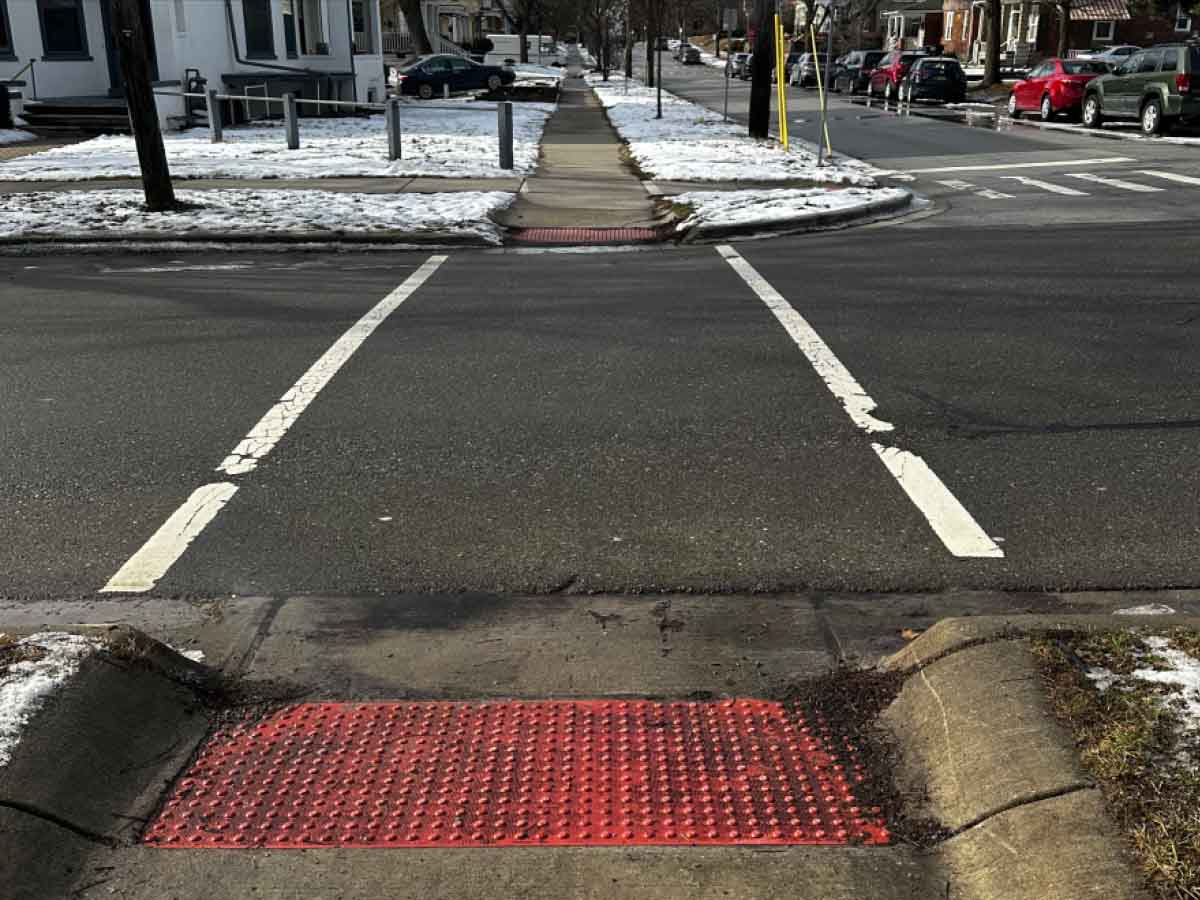
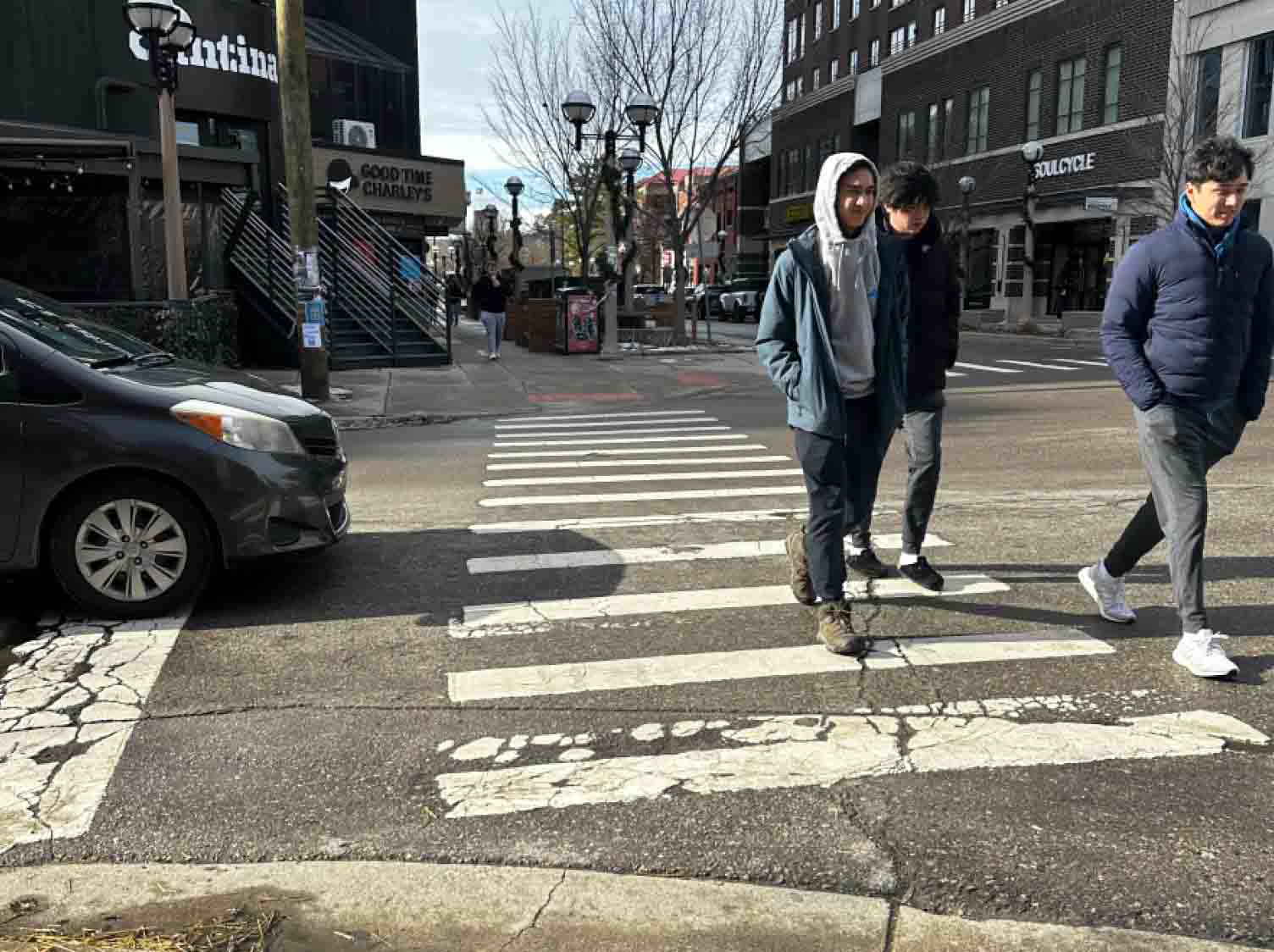
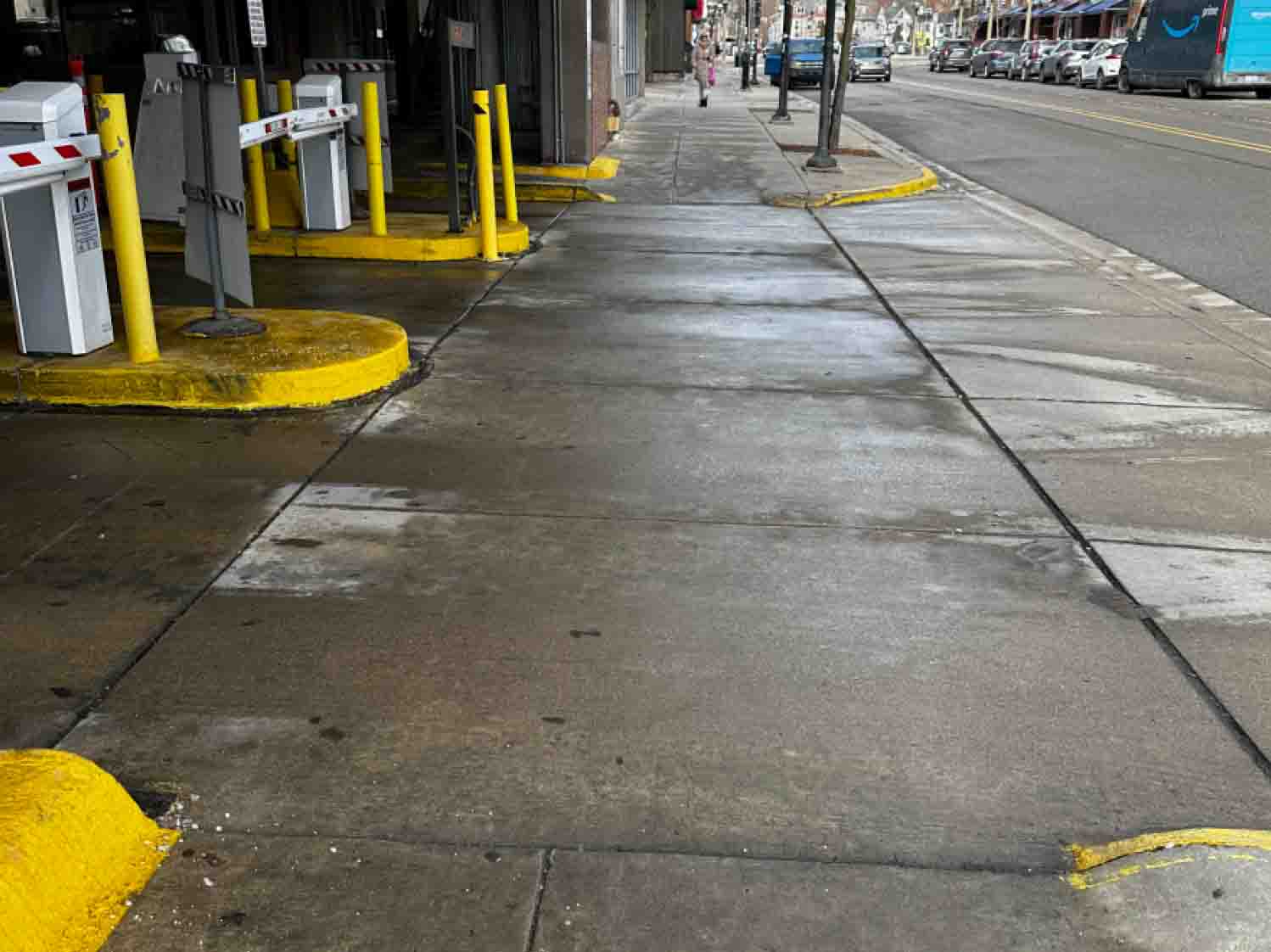
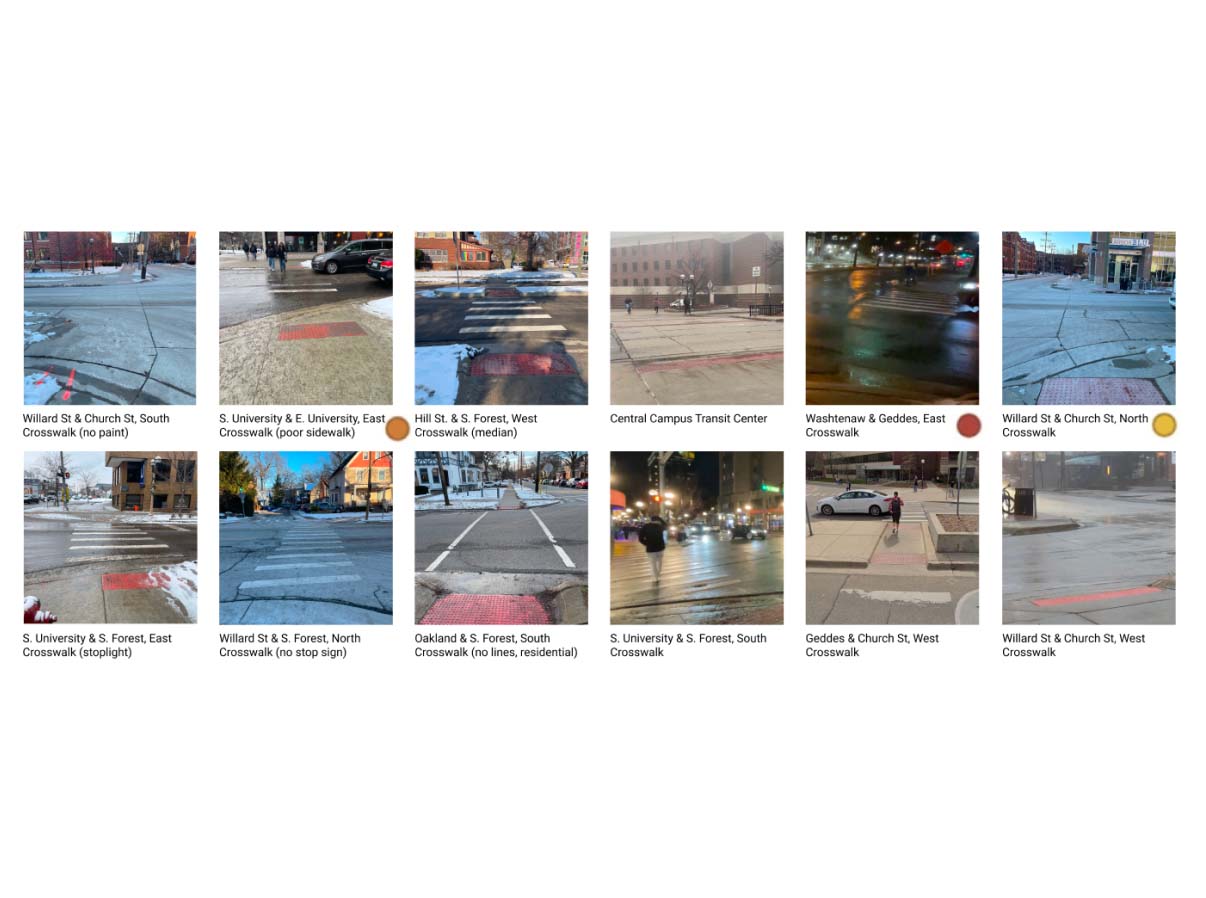
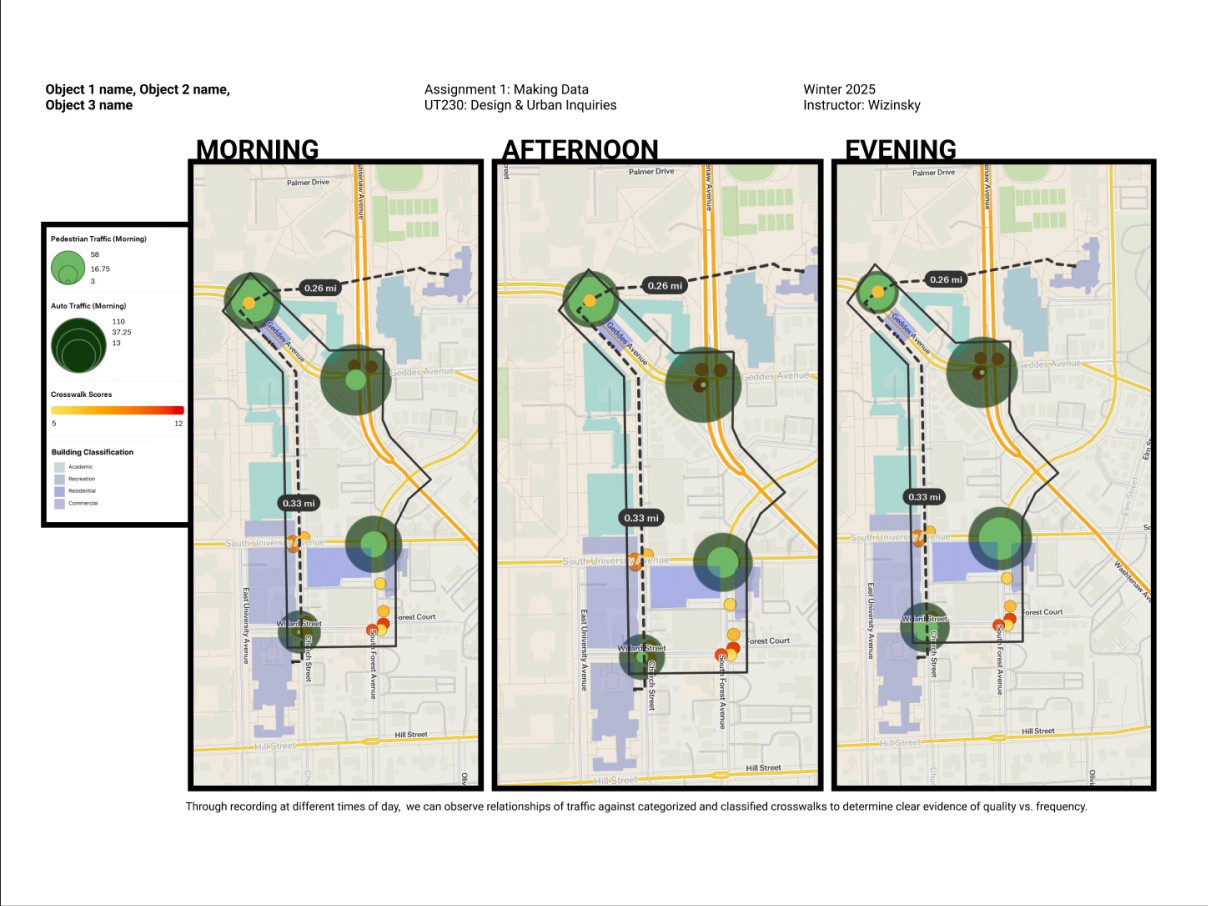
To understand pedestrian experiences in crosswalks, I conducted a comparative review of built-environment designs alongside analogous digital interface patterns. This helped identify how people engage, move, pause, and orient themselves in transitional spaces, from sidewalks to intersections. For example, I analyzed how cues such as traffic signals, stripped markings, tactile paving, and signage guide behavior, and how those same principles can be applied to improve clarity and predictability in other user journeys.
I also performed field observations and behavior sketching, mapping users’ actions across the full crossing sequence: arrival → wait → cross → departure. Key questions guided this process:
“What signals indicate to the user that it’s safe to cross?”
“Where do users hesitate, get confused, or make errors?”
“How do different physical or social contexts influence behavior?”
From these observations, several insights emerged:
Clear visual cues and affordances reduce hesitation by signaling the next action confidently
Transitions should be smooth and predictable, supporting intuitive movement from approach to departure
Accessibility is critical: users with varying mobility, attention, or distraction states need consistent, intuitive guidance
Cohesive narratives along the crossing experience (arrival to destination) increase user confidence and comfort
Through this research, I applied UX problem-solving methods typically used in digital design, such as mapping user flows, identifying pain points, and prototyping solutions, to a real-world, analog environment. This approach allowed me to translate qualitative observations into actionable design principles for the crosswalk experience, setting the foundation for high-fidelity prototyping and behavior-driven design.
Implementation
To translate research insights into a tangible design, I mapped the user journey for a pedestrian “crossing scenario”: arriving at the intersection, waiting, perceiving signals/feedback, crossing, and landing at the destination. I explored layout options in Figma, designing screens for each state, approach, wait/ready, action, and landing, and linking user states to design components through mind-maps.
I adopted a minimalist, clean visual aesthetic with strong typography, ample white space, and a single accent color for actions/feedback. This approach supports clarity, accessibility, and front-end readiness.
Prototype Structure
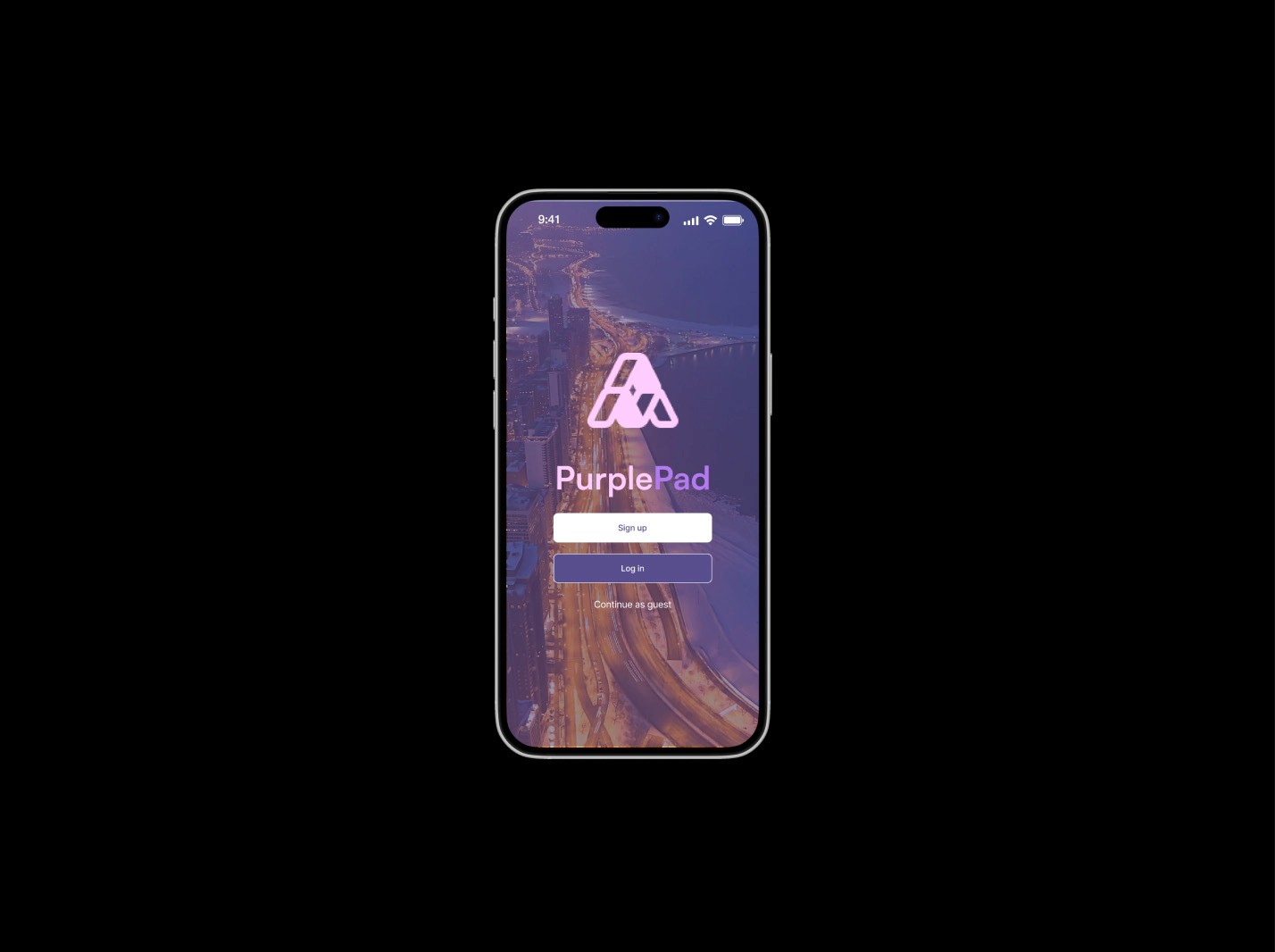
Intro/Landing Screen: Introduces the “Crosswalks” concept
Approach State: Pedestrian arrives at the intersection
Wait/Ready State: Signals readiness to cross
Action State: Crossing
Conclusion/Destination State: Pedestrian reaches the other side
Design & Prototyping Actions
Created low-fidelity wireframes for each state, progressing to mid-fidelity (layout/content refinement) and high-fidelity prototypes (full styling and interactive elements)
Applied design rationale:
Typography: Clean sans-serif, generous spacing for readability
Color Palette: Neutral base with a strong accent for actions and feedback
Imagery/Illustrations: Subtle graphics to suggest motion and transitions, minimal decorative noise
Built interactive prototypes with transitions and micro-interactions
Ensured front-end readiness: modular components with clear naming conventions and token definitions for colors, typography, and spacing
Prioritized accessibility: WCAG AA contrast ratios, appropriately sized interactive elements, clear states (disabled/active), and logical screen flow for assistive technology
Testing & Iteration
Conducted usability testing on desktop and mobile with key tasks:
“How do you know when to proceed at the approach screen?”
“How does the UI signal readiness?”
“How comfortable do you feel when landing on the destination screen?”
Findings & Iterations:
Users hesitated at the wait state → Increased size/contrast of the “Go” indicator and added clearer animation
Mobile tap targets too small → Enlarged buttons and improved spacing
Feedback reinforced with hover/tap states for confidence
Outcome: After iterations, users found the flow more intuitive, accessible, and inclusive across devices
Skills & Tools Applied
UX Design: User journey mapping, wireframing, interactive prototyping
Visual Design: Typography, color theory, minimalism, motion cues
Figma Tools: Low- to high-fidelity prototyping, component libraries, interactive states
Accessibility & Inclusive Design: WCAG compliance, clear visual/interaction cues, logical flow for assistive tech
Iteration & Testing: Usability testing, feedback synthesis, design refinement
Results
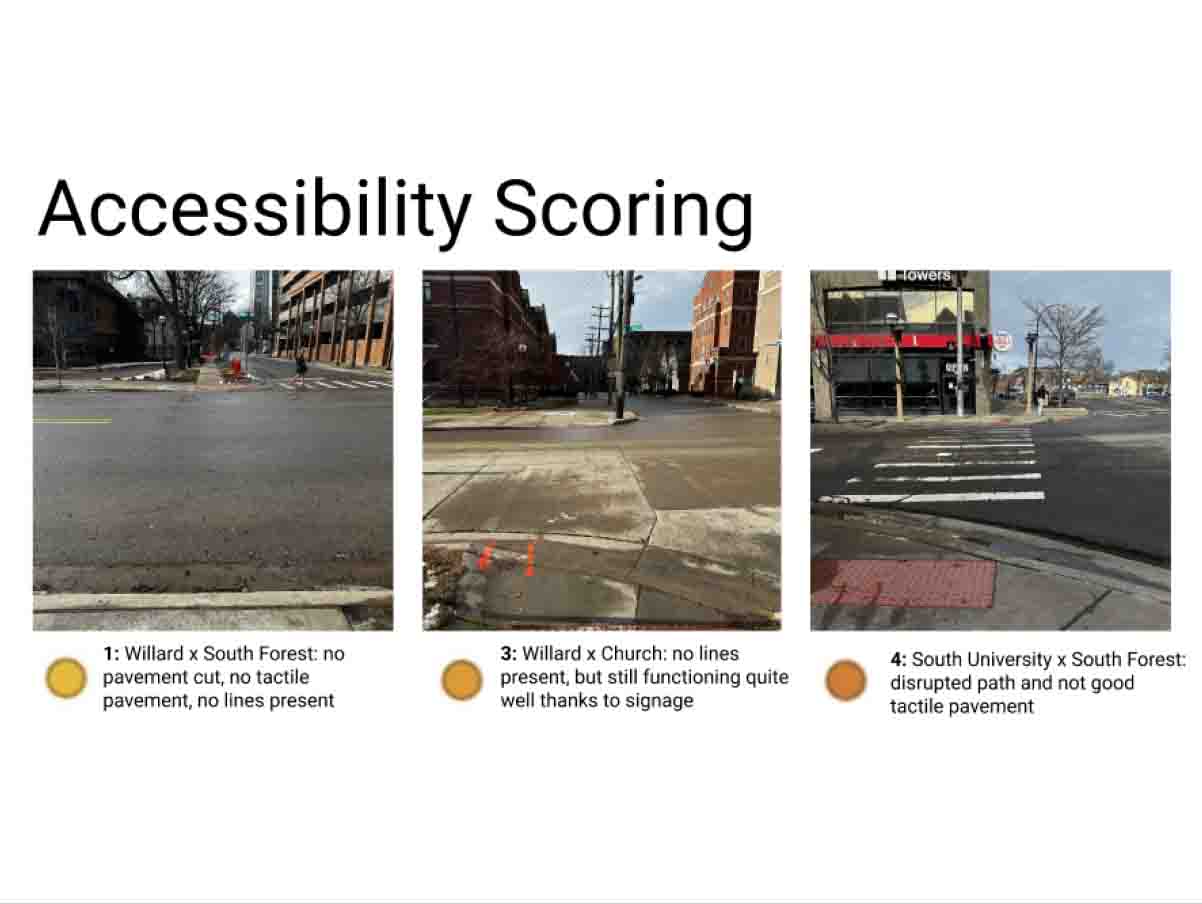
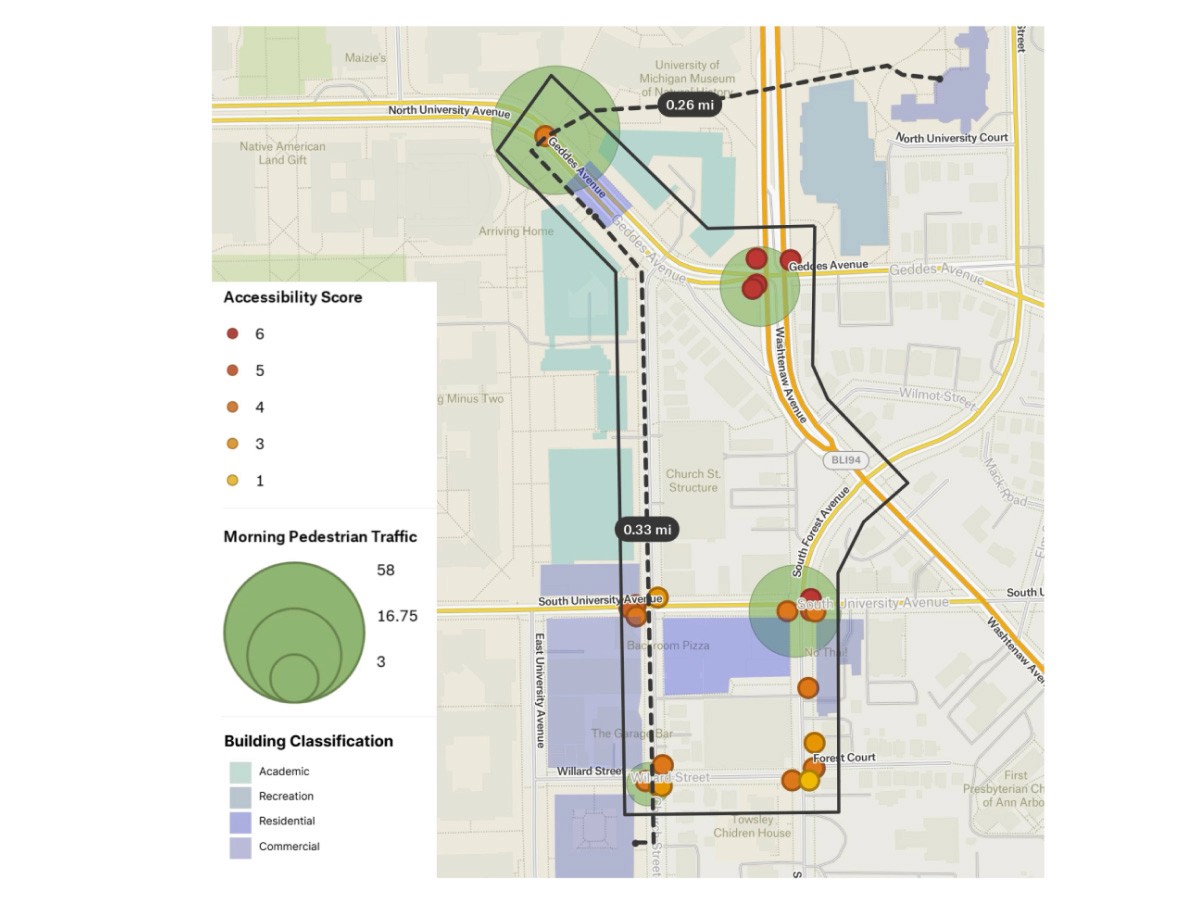
The final Figma prototype delivers a compelling UX concept for pedestrian “crossing” flows, bridging design thinking with development readiness. It reflects my dual competency in UX design and front-end development, demonstrating how research-informed design can translate into interactive, accessible, and modular digital experiences.
Key Outcomes
Translated behavioral research into clear, actionable design flows for approach → wait → action → landing states
Developed interactive prototypes in Figma that communicate state transitions and user journeys effectively
Defined modular, developer-friendly components with accessibility, responsive design, and clean front-end structure in mind
Showcased UX thinking beyond static pages, incorporating motion, state, and user transitions
Demonstrated ability to manage the full design cycle: ideation → prototyping → design system → developer handoff
Reflection & Learnings
Treating state transitions as first-class design elements is essential for clarity and usability
Bridging design and development early streamlines handoff and preserves design integrity in code
Future improvements could include:
Conducting testing with more diverse participants, including users with accessibility needs
Collecting metrics on flow intuitiveness and interaction clarity
Building a lightweight coded prototype (HTML/CSS/JS) to validate real-world interaction
Introducing subtle micro-animations to enhance feedback while maintaining accessibility
Overall, I’m proud of shaping a prototype that functions clearly across user scenarios, aligns with my values of clarity, accessibility, and clean UX + front-end design, and positions me to continue growing as a designer who bridges research, UX, and front-end implementation.