Go Blue AI
Read time:
5 min
Client:
Go Blue AI
Industry:
UX Design
Start:
End:
Duration:
8 weeks
Tools:
Figma (Autolayout), User Testing
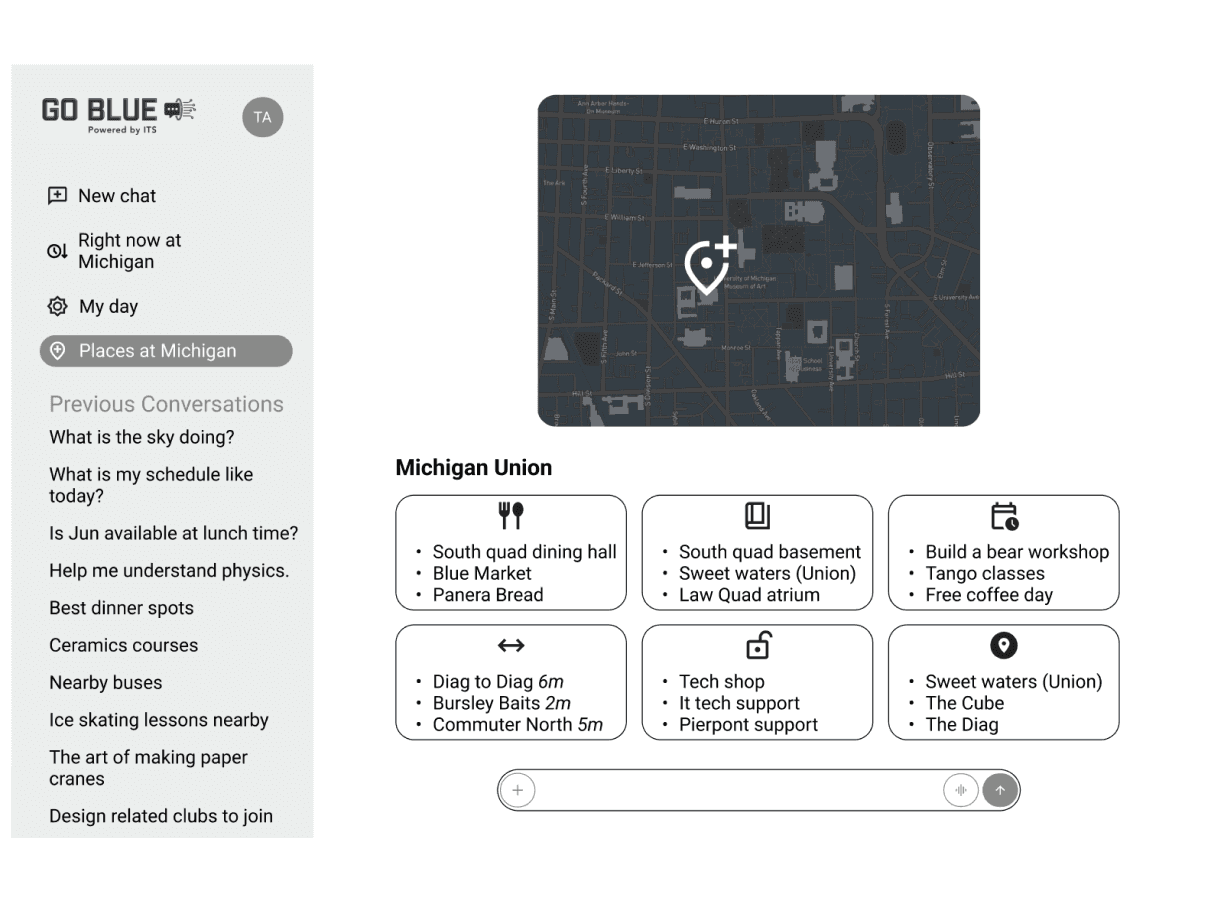
Go Blue AI is an intelligent campus companion designed to unify the fragmented University of Michigan student experience. The project focused on bridging the gap between static university data, like course schedules, dining menus, and bus routes, and the dynamic needs of a student's daily life. By integrating an AI-powered "My Day" feature, I transformed a traditional information hub into a proactive assistant that optimizes student routines in real-time.
This project allowed me to explore the intersection of conversational UI, information architecture, and multi-modal prototyping. I led the end-to-end design process, from developing a robust cross-platform design system in Figma to conducting iterative user testing that refined how students interact with AI. The final result is a high-fidelity, interactive prototype that demonstrates how personalized AI can turn campus logistics into a seamless, automated experience.
Starting point
My project began with a shared frustration echoed by students across all campuses: managing student life is a logistical nightmare. Students currently jump between M-Bus for transport, Canvas for schedules, and Michigan Dining for menus. This fragmentation is especially taxing for North Campus residents, where a three-minute delay in catching a bus can result in a missed lecture on Central Campus.
To ground the design, I conducted user interviews and observed students navigating their morning routines. These research methods revealed critical friction points:
What students struggled with:
Checking multiple apps just to plan a single commute
Missing "favorite" meals at dining halls because they forgot to check the menu
Inconsistent bus data leading to "buffer time" anxiety
Difficulty visualizing how their schedule and transport needs overlapped
What the ecosystem lacked:
No centralized "source of truth" for the student day
No proactive alerts ("The bus is late, leave now to walk instead")
No way to manipulate a schedule based on personal preferences or habits
These insights shifted the project from a simple "aggregator app" to a proactive AI platform that prioritizes contextual relevance and time management.
Problem solving
The core challenge was designing a platform that didn't just display data, but interpreted it for the user. I synthesized research into problem statements that focused on cognitive load and "actionable" information:
Student Problems
“I know where I need to be, but I don't know the most efficient way to get there right now.”
“I want to eat at the best dining hall, but I don't want to check five different menus.”
“My schedule is fixed, but my routine is chaotic.”
From these insights, I designed interlocking user flows that connected the student’s identity to live campus data:
Key Flows Designed:
The "Onboarding" flow to sync Canvas schedules and dietary preferences
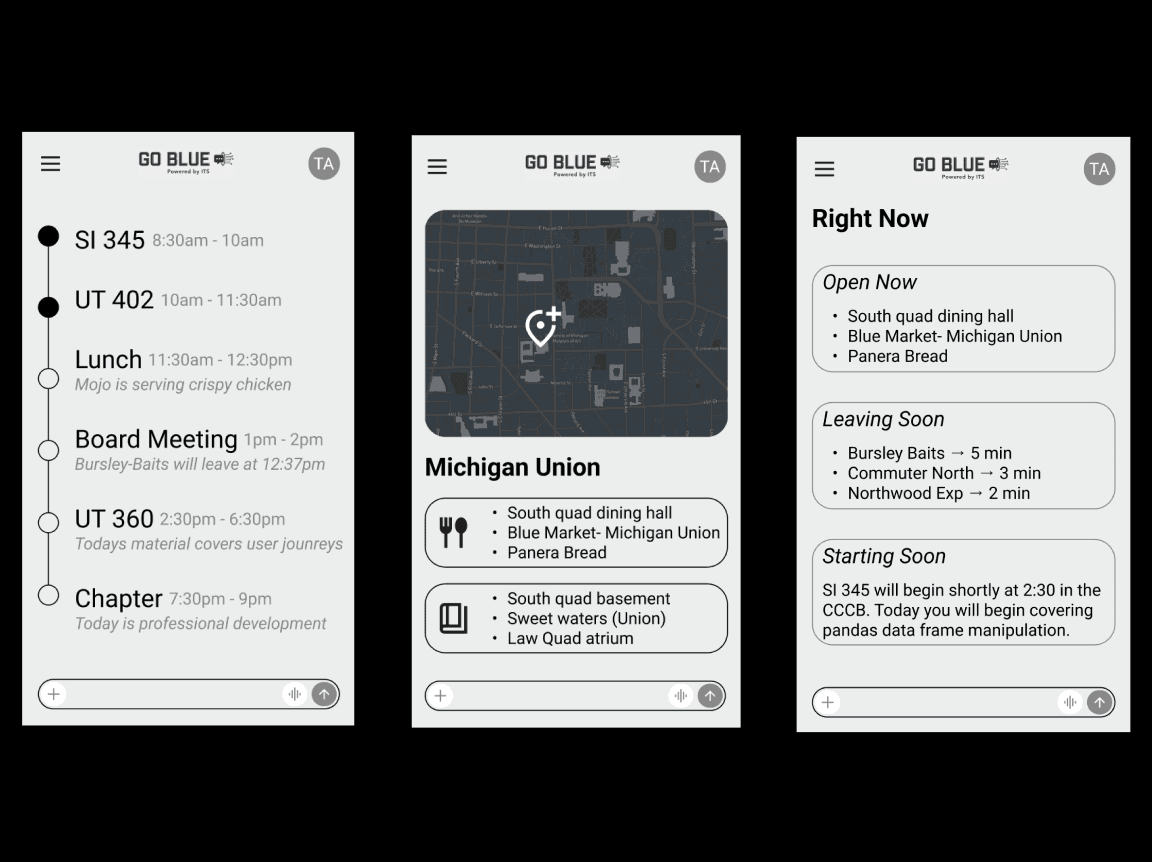
The 'My Day' dashboard (the primary interaction hub)
The AI Chat-to-Schedule flow (manipulating routines via natural language)
Real-time "Transit-to-Class" alerts tailored to the user's specific location
UX Skills Highlighted:
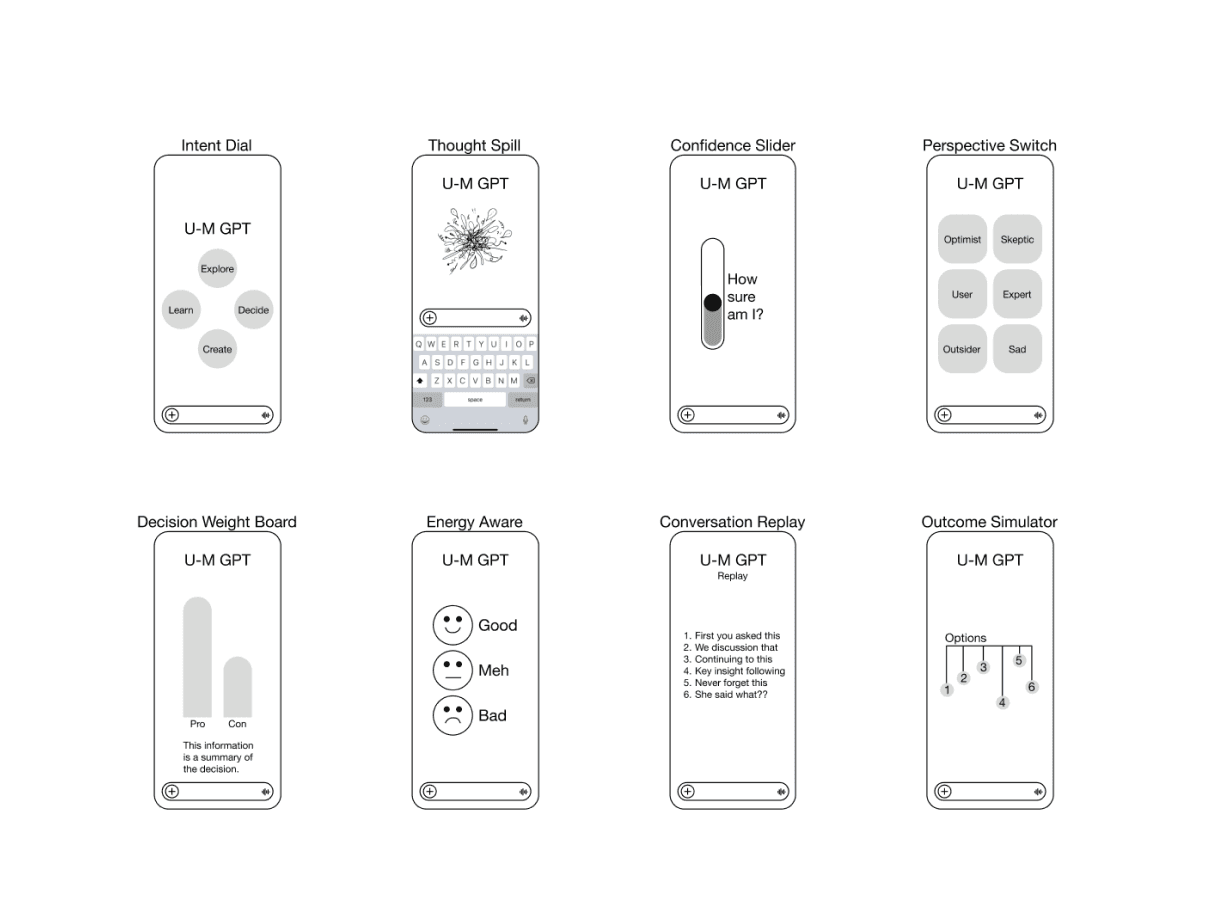
AI interaction design & prompt-to-UI mapping
Developing a cross-platform design system (Mobile & Desktop)
Iterative prototyping based on real-world transit constraints
Simplifying complex, multi-source data feeds
Implementation
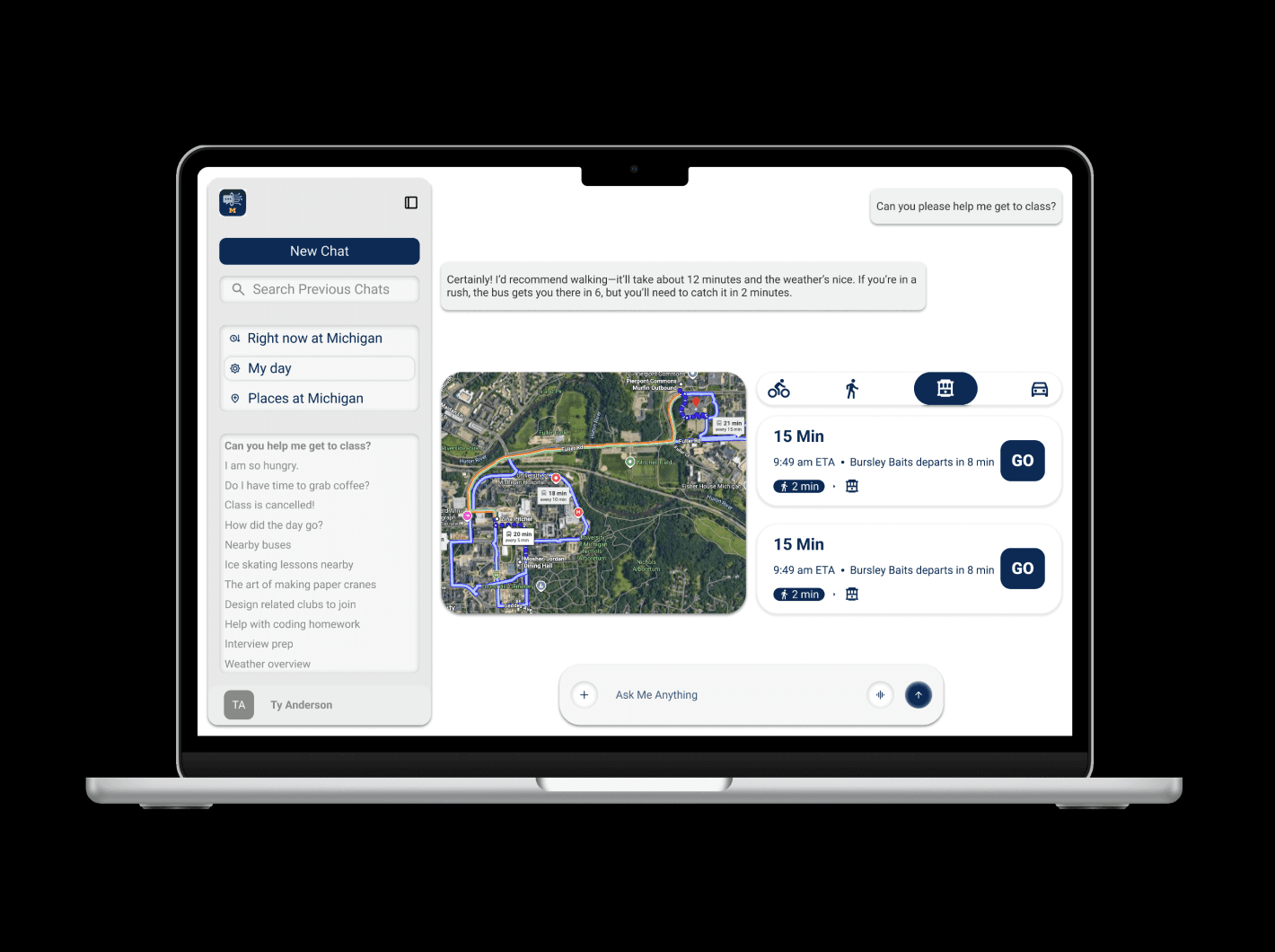
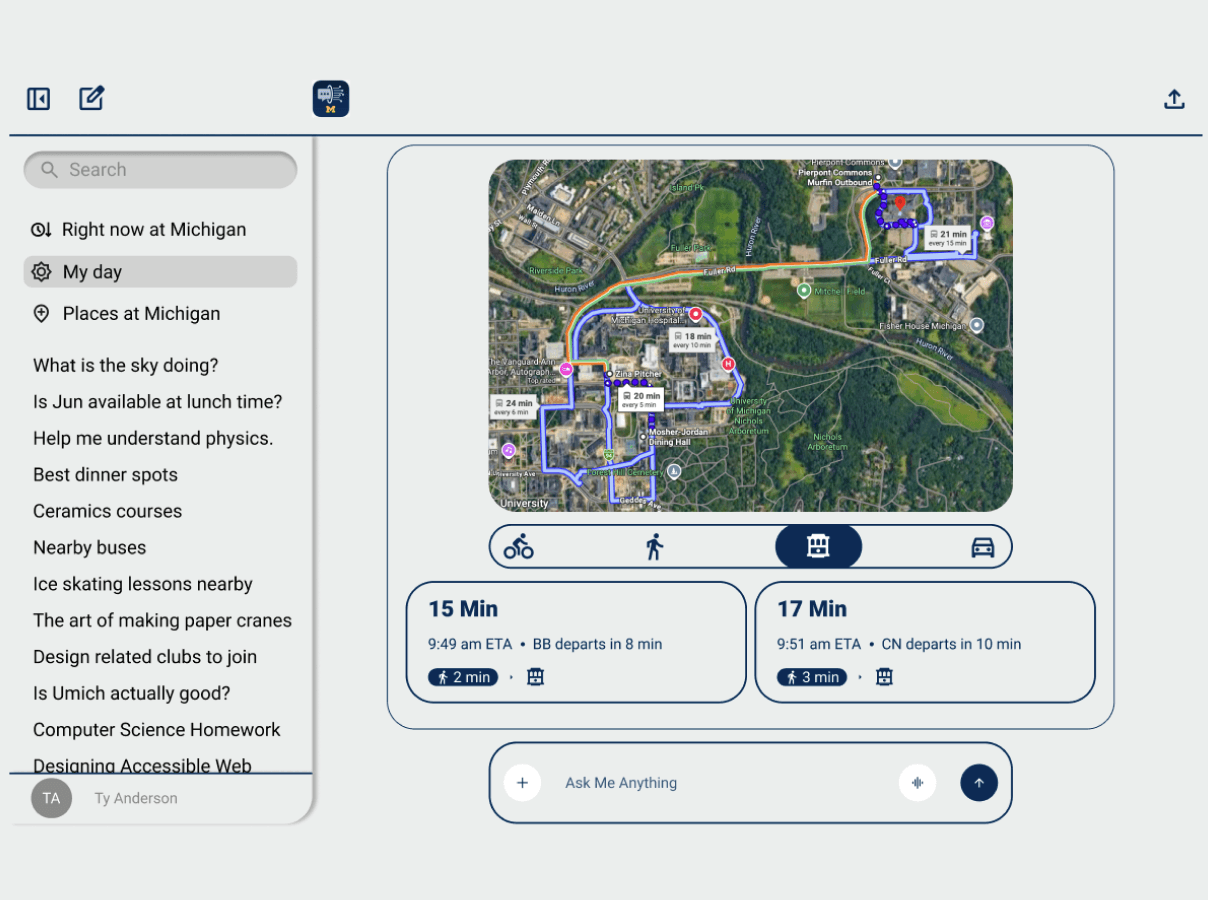
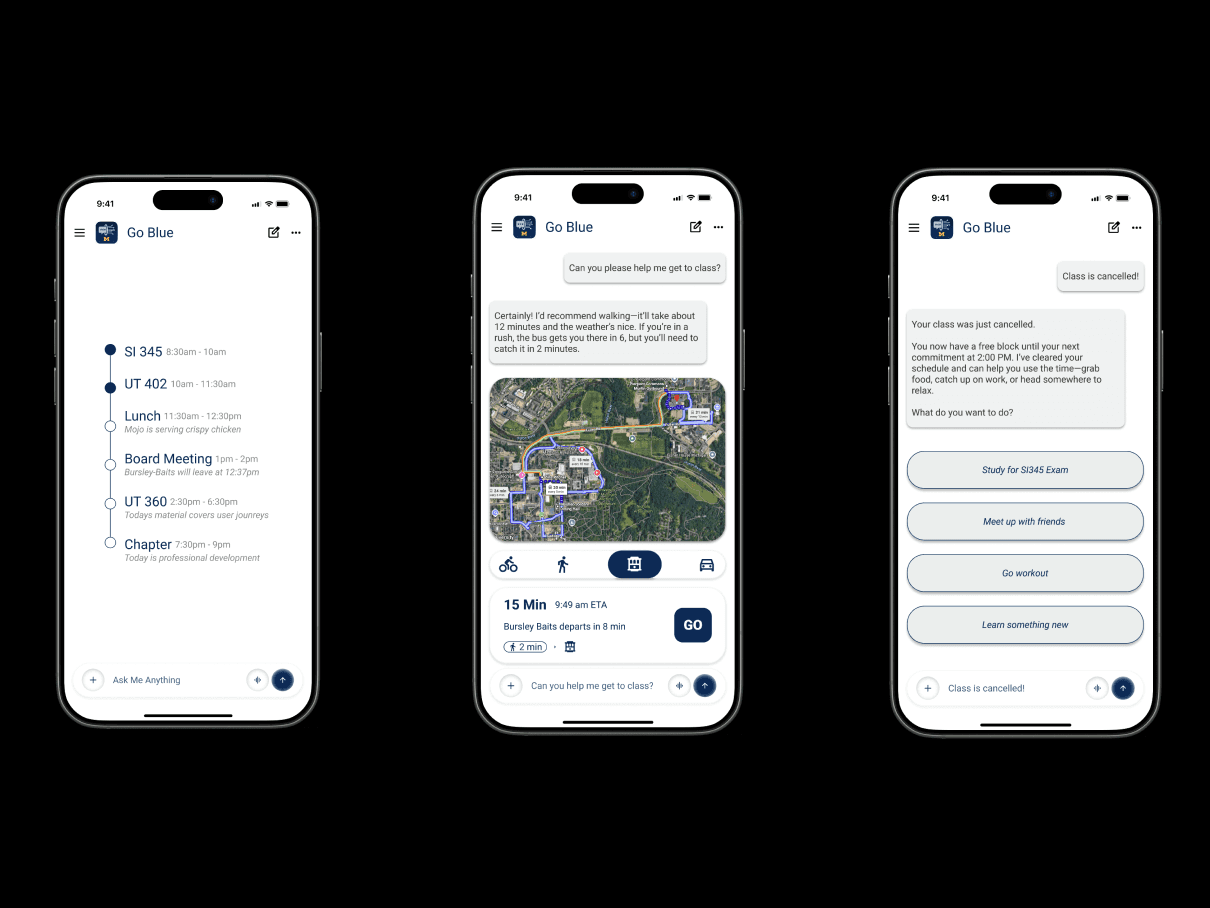
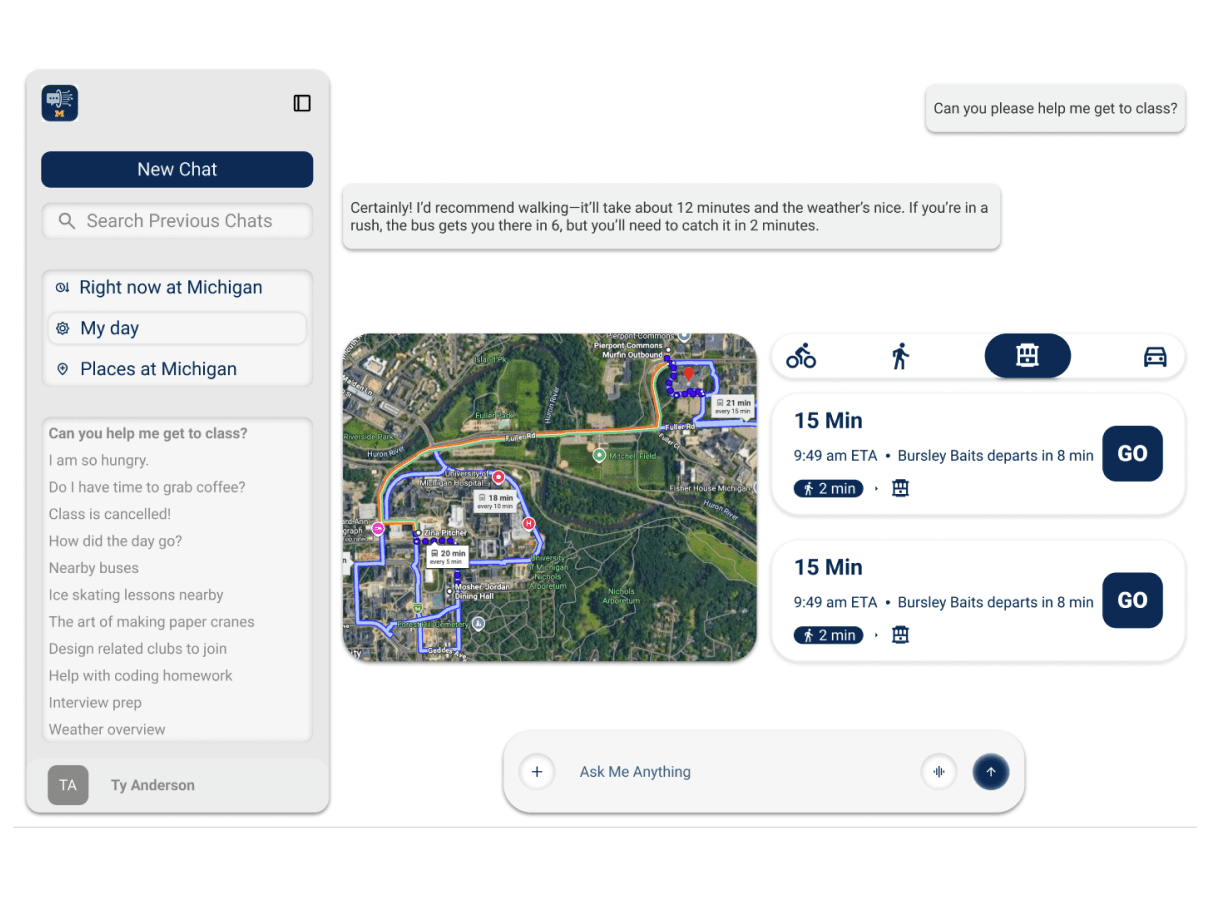
Once the core flows were defined, I built a comprehensive design system in Figma to ensure consistency across mobile and desktop. My priority was "Glanceability": designing cards and widgets that give students the most important info (like the next bus departure) in under two seconds.
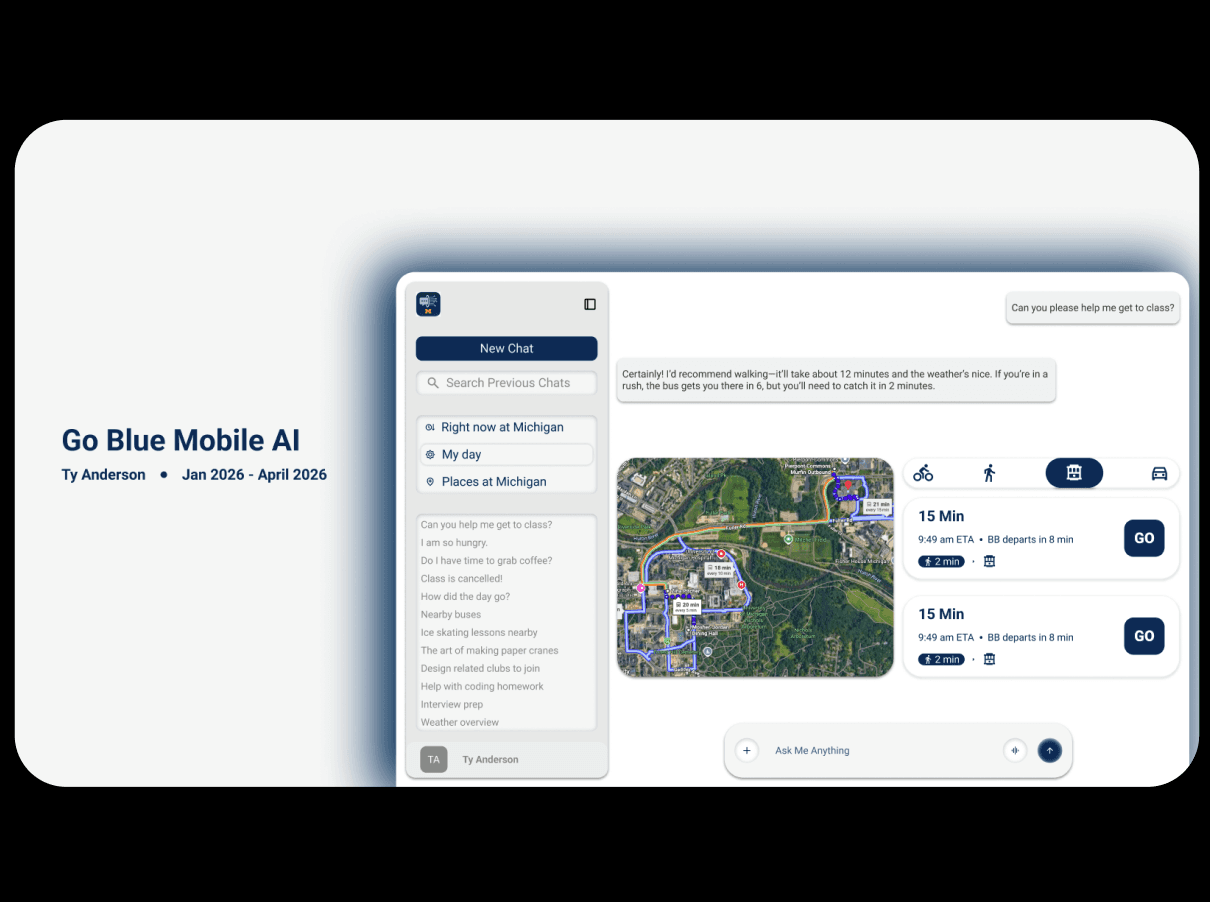
The 'My Day' feature was implemented as a living schedule. Unlike a static calendar, I designed it to be "manipulatable." If a student asks, "Where should I eat lunch before my 1 PM class?", the AI doesn't just list menus; it analyzes the student's current location, their next class location, and their saved food preferences to suggest the optimal dining hall and the exact bus to get there on time.
For Students:
Integrated Schedule: A visual timeline that blends classes, meals, and transit.
The AI Assistant: A conversational bar that accepts natural language to "fix" or "optimize" the day.
Bus Specialized Tracking: High-priority transit cards for the most common student commutes.
Dining Intelligence: Visual indicators for "Favorite Meals" currently being served across campus.
I executed rounds of iterative user testing, specifically focusing on the "handoff" between the AI chat and the visual schedule. This led to a more integrated UI where the AI’s suggestions appear as "ghost blocks" on the calendar for the user to approve or reject.
Results
The Go Blue AI prototype delivered a cohesive, high-performance solution that students described as "the app the University should have built years ago." During walkthroughs, users noted that the 'My Day' feature significantly reduced the "app-switching fatigue" they felt every morning.
Key Outcomes:
Unified Student Experience: Centralized four disparate data streams into one interface.
Reduced Cognitive Load: Students no longer had to calculate transit times manually.
Proactive Planning: The AI-driven 'My Day' shifted users from reactive checking to proactive routine management.
Scalable Design System: A fully responsive Figma library ready for further feature expansion.
Go Blue AI stands as a testament to my ability to take complex, fragmented data and turn it into a user-centered product. It showcases my skills in product thinking and my commitment to solving the "hyper-local" problems that define the student experience.